
Download OptimizerAI – AI‑Powered Sound Effect Generator, Free, Secure & Easy
Overview
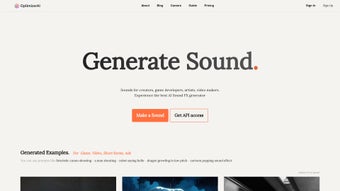
OptimizerAI is a cutting‑edge, browser‑based audio creation platform that uses deep‑learning models to turn plain‑language descriptions into fully‑formed, royalty‑free sound effects. The service was built with the modern multimedia creator in mind—whether you are an indie game developer needing a quick “laser blast” cue, a video editor looking for ambient rain or wind, a podcaster seeking a unique jingle, or a teacher wanting custom audio prompts for an e‑learning module. By simply typing a phrase such as “ancient stone door creaking open” or “high‑octane racing engine rev,” the AI parses the semantic content, selects appropriate acoustic textures from a massive internal library, and synthesizes a new audio file that matches the requested mood, duration, and tonal characteristics.
OptimizerAI also includes a Text‑to‑Sound engine that can ingest entire paragraphs or storyboards, generating layered soundscapes that evolve over time. An upcoming Video‑to‑Sound feature promises to analyze short video clips and automatically produce synchronized audio tracks, further bridging the gap between visual and auditory storytelling. The platform is offered as a free‑to‑try service with optional paid tiers for higher usage limits, and it provides a well‑documented RESTful API for developers who wish to embed sound generation directly into their pipelines.
Security is a core priority: all data transfers occur over HTTPS, user prompts are encrypted at rest, and the generated assets are delivered via secure, temporary URLs that expire after download. Because the heavy processing runs on OptimizerAI’s cloud servers, users benefit from continuous model updates, automatic bug fixes, and new feature rollouts without ever having to install or patch software locally. In short, OptimizerAI delivers a fast, secure, and constantly improving solution for anyone who needs custom audio without the time‑consuming and costly process of recording, licensing, or searching through massive sound libraries.
Key Features that Set OptimizerAI Apart
- AI‑Driven Sound Synthesis: Generates original sound effects from natural‑language prompts using state‑of‑the‑art deep‑learning models trained on millions of audio samples.
- Royalty‑Free Output: Every file is released under a royalty‑free license, allowing unrestricted commercial use.
- Text‑to‑Sound Engine: Convert paragraphs, scripts, or storyboards directly into layered ambient or action‑oriented audio.
- Upcoming Video‑to‑Sound: Future updates will let users upload short video clips and receive automatically synchronized soundtracks.
- Robust API Access: RESTful endpoints enable batch generation, CI/CD integration, and custom workflow automation.
- Multi‑Format Export: Supports WAV (lossless), MP3 (compressed), and OGG (open‑source) with adjustable bitrate settings.
- Instant Preview & One‑Click Download: Real‑time playback in the browser followed by a secure HTTPS download.
- Community Prompt Library: Browse, rate, and reuse popular prompts contributed by other creators.
- Secure Cloud Processing: All AI inference runs on encrypted servers; no audio data is stored on the client side.
- Monthly Model Refreshes: New audio textures and improved synthesis quality are added every month.
These capabilities combine to make OptimizerAI more than a novelty AI toy; it is a production‑ready sound studio that lives entirely in the cloud. By removing the need for expensive recording sessions, licensing negotiations, or massive offline libraries, the platform democratizes high‑quality audio creation. The inclusion of an API is especially valuable for studios that require automated generation of hundreds or thousands of sound assets during build pipelines, while the forthcoming video‑to‑sound module promises to tighten the feedback loop between visual design and auditory mood. Whether you are prototyping a level in a Unity game, adding foley to a short film, or crafting an immersive meditation app, OptimizerAI’s feature set delivers flexibility, reliability, and speed—all while keeping your budget intact.
Installation, Usage & Compatibility – Getting Started in Minutes
Because OptimizerAI is a fully web‑based service, there is no traditional installation process. Users simply open a modern browser, navigate to the official site, create a free account, and begin generating sounds instantly. The platform is built on responsive HTML5, CSS3, and WebAssembly technologies, ensuring smooth operation on Chrome, Firefox, Safari, Edge, and even mobile browsers on iOS and Android. For developers who need deeper integration, the RESTful API can be called from any environment that supports HTTPS—Node.js, Python, Java, C#, or even Bash scripts.
Step‑by‑Step Guide to Your First Sound
- Create an Account: Visit optimizerai.com, click “Sign Up,” verify your email, and log in. The free tier provides up to 50 sound generations per month.
- Enter a Prompt: In the dashboard’s main field, type a descriptive phrase such as “mystic forest wind chimes” or “explosive sci‑fi reactor shutdown.” The AI parses the text and begins synthesis within seconds.
- Adjust Parameters (Optional): Use the sliders to fine‑tune duration (1‑30 seconds), intensity, pitch, and add optional ambient layers like rain or crowd noise.
- Preview the Result: Click “Play” to hear a 5‑second preview. If the tone or timing isn’t perfect, edit the prompt or tweak the sliders and regenerate.
- Download Securely: Once satisfied, select the desired format (WAV, MP3, OGG), then click “Download.” The file is delivered via a short‑lived HTTPS link that expires after one hour for added security.
- Integrate via API (Advanced): Retrieve your personal API key from the “Account Settings” page. Example curl request:
The response includes a JSON payload with a temporary download URL.curl -X POST https://api.optimizerai.com/v1/generate \ -H "Authorization: Bearer YOUR_API_KEY" \ -H "Content-Type: application/json" \ -d '{"prompt":"enchanted castle hall","format":"wav","duration":12}'
System Requirements: Since the processing happens on OptimizerAI’s servers, the client side only needs a stable internet connection and a browser that supports HTML5 audio and WebGL. For API usage, any platform capable of making HTTPS requests—desktop, server, or mobile—is compatible.
OptimizerAI works on Windows 10/11, macOS 12+, most Linux distributions with a recent browser, as well as iOS 13+ and Android 9+ devices. The responsive UI automatically adapts to touch input, making it equally handy for creators who prefer drafting sound ideas on tablets or smartphones while on the go.
Because there is no locally installed binary, updates are instantaneous. When the development team releases a new model, new prompt templates, or a bug fix, every user receives the improvement simply by refreshing the page. This “always‑latest” approach eliminates the typical maintenance overhead associated with desktop audio tools and guarantees that you are always using the most advanced AI sound synthesis available.
Pros, Cons & Frequently Asked Questions
Pros
- Instant, royalty‑free sound generation from simple text prompts.
- No installation required; runs entirely in the browser.
- Free tier sufficient for hobbyists and small projects.
- Robust API enables automation and integration into custom pipelines.
- Regular AI model updates keep the sound library fresh and realistic.
- Secure HTTPS communication protects data and generated assets.
- Cross‑platform compatibility (Windows, macOS, Linux, iOS, Android).
- Future‑ready roadmap with video‑to‑sound and high‑resolution audio.
- Community‑driven prompt library accelerates creative brainstorming.
- Transparent licensing—all outputs are royalty‑free for commercial use.
Cons
- Free tier limits the number of monthly generations; heavy users need a paid plan.
- Audio quality, while impressive, may not replace professional field recordings for ultra‑high‑fidelity needs.
- Customization is limited to text prompts and basic parameters; deeper sound design requires dedicated DAWs.
- Dependent on internet connectivity; offline usage is not possible.
- Current output formats are limited to WAV, MP3, and OGG; lossless formats like FLAC are not yet supported.
- Advanced users may find the AI’s interpretation of ambiguous prompts occasionally unpredictable.
- Paid plans are subscription‑based, which may not suit one‑off project budgets.
- API rate limits apply on the free tier, requiring careful planning for batch jobs.
- Video‑to‑sound feature is still in beta and may produce inconsistent results.
- Prompt data is used to improve models unless the user opts out, which some privacy‑focused users may dislike.
FAQ – Answers to Common Queries
Is OptimizerAI really free to use?
Yes, OptimizerAI offers a free tier that allows up to 50 sound generations per month. For higher volume or commercial licensing, paid plans start at $9.99 per month.
Can I use the generated sounds in commercial projects?
Absolutely. All sounds are released under a royalty‑free license, which means you can integrate them into games, films, podcasts, and other commercial media without paying additional fees.
What audio formats are available for download?
You can download in WAV (lossless), MP3 (compressed), or OGG (open‑source compressed) formats. The format is selectable before you hit the download button.
How does the API authentication work?
After creating an account, go to the “API Keys” section, generate a personal token, and include it in the Authorization header as a Bearer token for each request.
Will my prompts be stored or used for training?
OptimizerAI respects privacy. Prompt data is encrypted and used only to improve the service. Users can opt‑out of data collection from the account settings page.
Is there a limit on the length of a prompt?
Prompts can be up to 250 characters for optimal processing. Longer text is accepted but may be truncated to keep synthesis efficient.
Overall Rating: 4.5/5 – OptimizerAI delivers a compelling blend of AI‑driven creativity and practical usability, making it a standout tool for modern multimedia creators.
Conclusion – Should You Download OptimizerAI Today?
OptimizerAI bridges a long‑standing gap between the need for unique, royalty‑free audio and the resources required to produce it. By turning natural‑language prompts into high‑quality sound effects within seconds, the platform empowers indie developers, video editors, podcasters, and hobbyist creators to enrich their projects without exhausting budgets or navigating complex licensing agreements. Its web‑first architecture eliminates installation headaches, while the robust API ensures that larger studios can scale the service to meet production pipelines. Although the free tier imposes a generation limit and the current audio fidelity may not replace premium field recordings for every ultra‑high‑definition use case, the trade‑offs are modest compared with the time and cost savings offered.
If you’re looking for a fast, secure, and constantly improving way to add bespoke soundscapes to games, animations, podcasts, or any multimedia work, OptimizerAI is a download worth making today. Simply head to optimizerai.com, sign up for the free plan, and start experimenting with AI‑generated audio that is ready for commercial deployment. For teams that require higher volume, deeper integration, or priority support, the paid subscriptions and API provide a scalable path forward. In short, OptimizerAI is not just another sound library—it’s a creative partner that listens to your words and turns them into audible reality.



.png)



